



SUMMARY
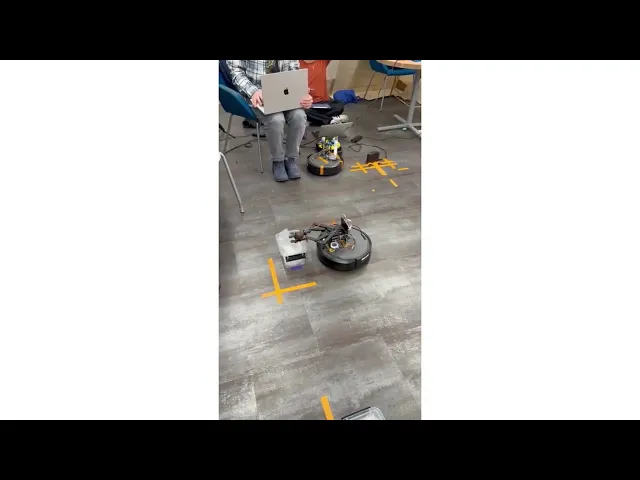
For this project, I worked with a two teammates to create a robot that could pick up, identify, and deliver a figurine autonomously. The submission goal was to successfully idenify 2 different characters in random orientations and place them into their respective containers.
This project served as a culmination of many of our previous projects, drawing upon our knowledge of the IRobot Create 3, gears and linkages and camera identification systems. Our robot consisted of a Raspberry Pi attached to the Create3 programmed in Python. we used a Picam and the Picamera2 library for implementing our object recognition. To pick up the figurine, we used a stepper motor with a servo motor for latch mechanism to secure it.

Course diagram
INITIAL DESIGN
Our initial prototype was a combination of many of our past designs, which worked out well in most regards, as it allowed us to model our design quickly.
We used a modified version of my initial grabber design which allowed us to work with preexisting models, and tested two different camera angles to accurately capture the figurine in frame.
PROTOTYPE CHALLENGES
During testing, the grabber design proved to be the most troublesome. We initially had an issue with the gears slipping due to their teeth sizes, which we modified successfully. While testing we found that our claw design was too weak with the provided stepper motor, and would drop the figurines in transport. We considered implementing a DC motor or switching to a worm gear but due to the short timeframe, we decided to instead add a latch mechanism powered by a servo motor.
Our largest hurdle by far was getting accurate positioning for the robot for repeatable pickups. We found that the robot would often start sligthly turned, and would therefore miss the payload slightly. to fix this, we used a center indicator on the bot and on the floor, allowing us to align it with more consistency.
MACHINE LEARNING
To identify the figurine, we used Google's Teachable Machine framework. for sampling, we took 500 images of each figurine, capturing multiple angles. As we were also able to build our own bases for the figures, we opted to create a white background to reduce noise. during a run, the robot would capture 3 images for identification and would sort it into the appropriate class.

Computer output during identification process
CODING
To streamline the code slightly, we elected to create a main file for sending and receiving action requests, calling on a stepper file, servo file, and identification file between movement commands.
FINAL SUBMISSION
Our robot was able to successfully pick up, identify, and drop off the characters, completing the course on multiple occasions. Due to our codes silplicty, we were able to complete an additional course with alternate dimensions. However, the alignment system was not foolproof and would cause offsets. If we had more time, we could've worked to adapt the dock to lock the alignment in place.
Demonsation of robot functionality