LIFTING ROBOT

LIFTING ROBOT

DESIGN PROJECT

Fall 2025

DESIGN PROJECT

Fall 2025

Prototyping, 3D Printing, CAD, Electronics, HTML, Sensors

Prototyping, 3D Printing, CAD, Electronics, HTML, Sensors

SUMMARY

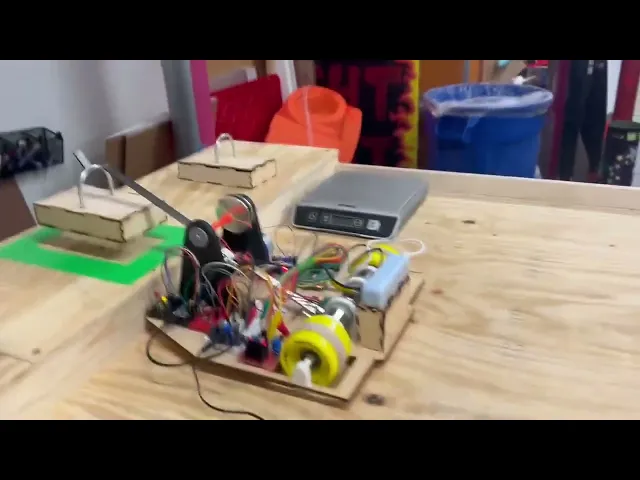
In my Electronics and Controls course, I worked with a partner to create a robot with an actuating arm. The initial artifact aimed to simply carry a one kilogram weight at a set distance away with a full range of maneuverability. The final robot had an actuating arm that could lift a mass, indicate its weight class from 400g to 1kg, and place it on a balance. Both iterations were controlled remotely, using a Raspberry Pi with flask. 

Initial prototype

INITIAL PROTOTYPE DESIGN

Our initial prototype featured two larger back wheels controlled by DC motors and a passive caster wheel at the front, all mounted on an acrylic chassis. We opted to mount the arm with the actuating mechanism already attached, in hopes of streamlining the process in adding the load cell and wiring the arm motor.

Initial prototype

PROTOTYPE CHALLENGES

We had initial struggles with the chassis bending under the acrylic, reducing the contact between the wheels and the ground, impairing its turning ability. To mitigate this, we placed two counterweights on the back in the form of steel bars and reinforced the plate with metal rods.

Initial actuator gear chain

Secondary actuator gear chain

Final actuator gear chain

Secondary actuator gear chain

Final actuator gear chain

We went through multiple variations of the arm actuation system. Initially, we designed 3D printed spur gears, but quickly realized that they would not be able to withstand the torques applied by a 1kg weight. We adjusted to a 4:1 gear ratio in a similar configuration the bending of the chassis caused the belt to loosen as the mounts were pulled together. We finally landed on a vertically mounted design which was able to mitigate the bending's effect.

FINAL PROTOTYPE DESIGN

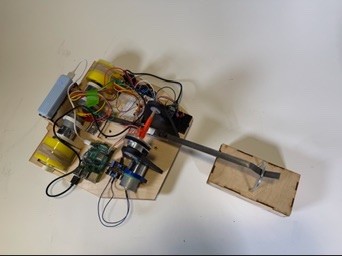
Our final prototype featured a two layer wooden chassis to combat bending but maintained all other design choices. To reduce material waste, many of our original 3D printed pieces were reused. Because we built the arm with the lifting mechanism in the first prototype we were able to quickly wire in the load cell and remount the electronics quickly. 

Final prototype CAD

Final prototype CAD

Final prototype CAD

Final prototype CAD

KB2040 weight sensor lights

Raspberry Pi and H bridge with arm motor

CODING AND ELECTRONICS

The main microcontroller used within this project was the Raspberry Pi, with an additional KB2040 attached for the load cell readout, indicated by 3 lights associated with weight classes. The PI was supplied by an attached battery pack but due to a scarcity of 12V batteries, the motors used wall power.

The Pi communicated through wifi to an HTML page with buttons for movement and arm actuation. I handled the initial movement code, while my partner added the arm actuation in the second prototype.

KB2040 weight sensor lights

Raspberry Pi and H bridge with arm motor

CODING AND ELECTRONICS

The main microcontroller used within this project was the Raspberry Pi, with an additional KB2040 attached for the load cell readout, indicated by 3 lights associated with weight classes. The PI was supplied by an attached battery pack but due to a scarcity of 12V batteries, the motors used wall power.

The main microcontroller used within this project was the Raspberry Pi, with an additional KB2040 attached for the load cell readout, indicated by 3 lights associated with weight classes. The PI was supplied by an attached battery pack but due to a scarcity of 12V batteries, the motors used wall power.

The main microcontroller used within this project was the Raspberry Pi, with an additional KB2040 attached for the load cell readout, indicated by 3 lights associated with weight classes. The PI was supplied by an attached battery pack but due to a scarcity of 12V batteries, the motors used wall power.

The Pi communicated through wifi to an HTML page with buttons for movement and arm actuation. I handled the initial movement code, while my partner added the arm actuation in the second prototype.

The Pi communicated through wifi to an HTML page with buttons for movement and arm actuation. I handled the initial movement code, while my partner added the arm actuation in the second prototype.

FINAL SUBMISSION

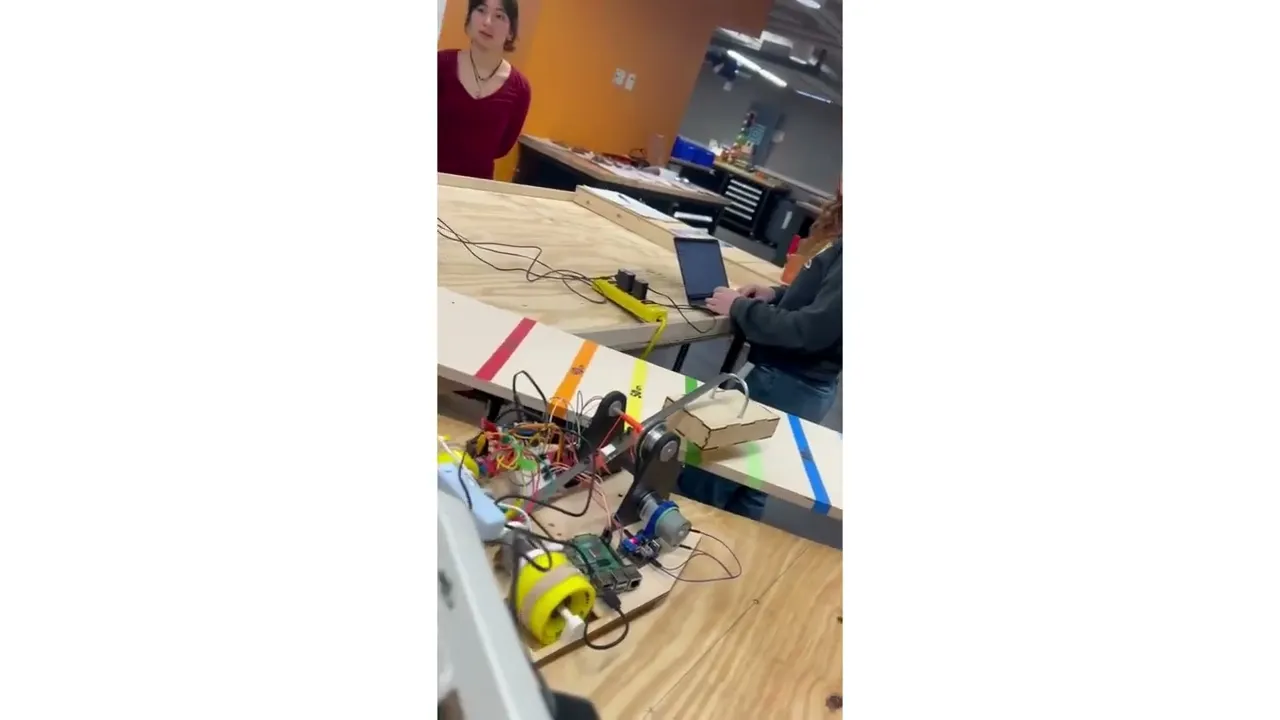
Our final trial involved picking up an unknown weight, classifying it, and placing it on one side of a balance while another team completed the same task. We were able to complete this without any on site issues. Since we were able to preserve so much from our first prototype, we tested early and with multiple groups after our initial success!

Demonsation of robot functionality
Team balancing task

Create a free website with Framer, the website builder loved by startups, designers and agencies.